
Changelog
What's new at Light Horse!
August 10, 2026
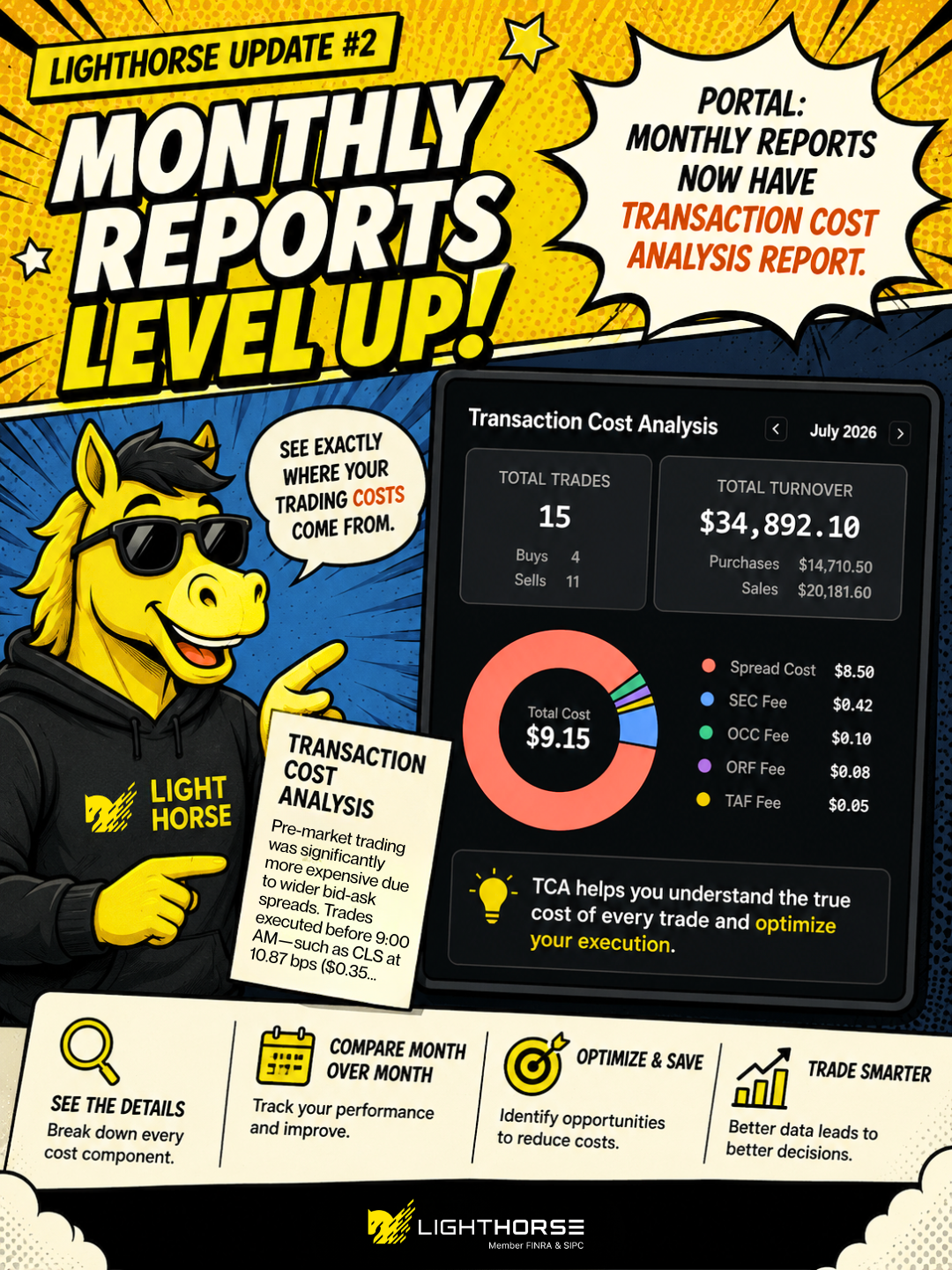
Transaction Cost Analysis is now part of your monthly reports. In the portal, open Monthly Reports, pick a month, and click TCA next to it.
The report shows you exactly where your trading costs came from that month:
- Activity summary — total trades for the month split into buys and sells, plus total turnover with purchases and sales listed separately.
- Cost breakdown — spread cost, SEC fee, OCC fee, ORF fee and TAF fee, charted and totaled so every component of the bill is visible.
- Written analysis — a short read-through of your month that points out what drove the costs. In the example above it flags that pre-market fills were significantly more expensive because of wider bid-ask spreads.
- Trade-by-trade detail — the individual executions behind the totals.
Use the arrows next to the month name to step back and forth and compare one month against another.
August 9, 2026
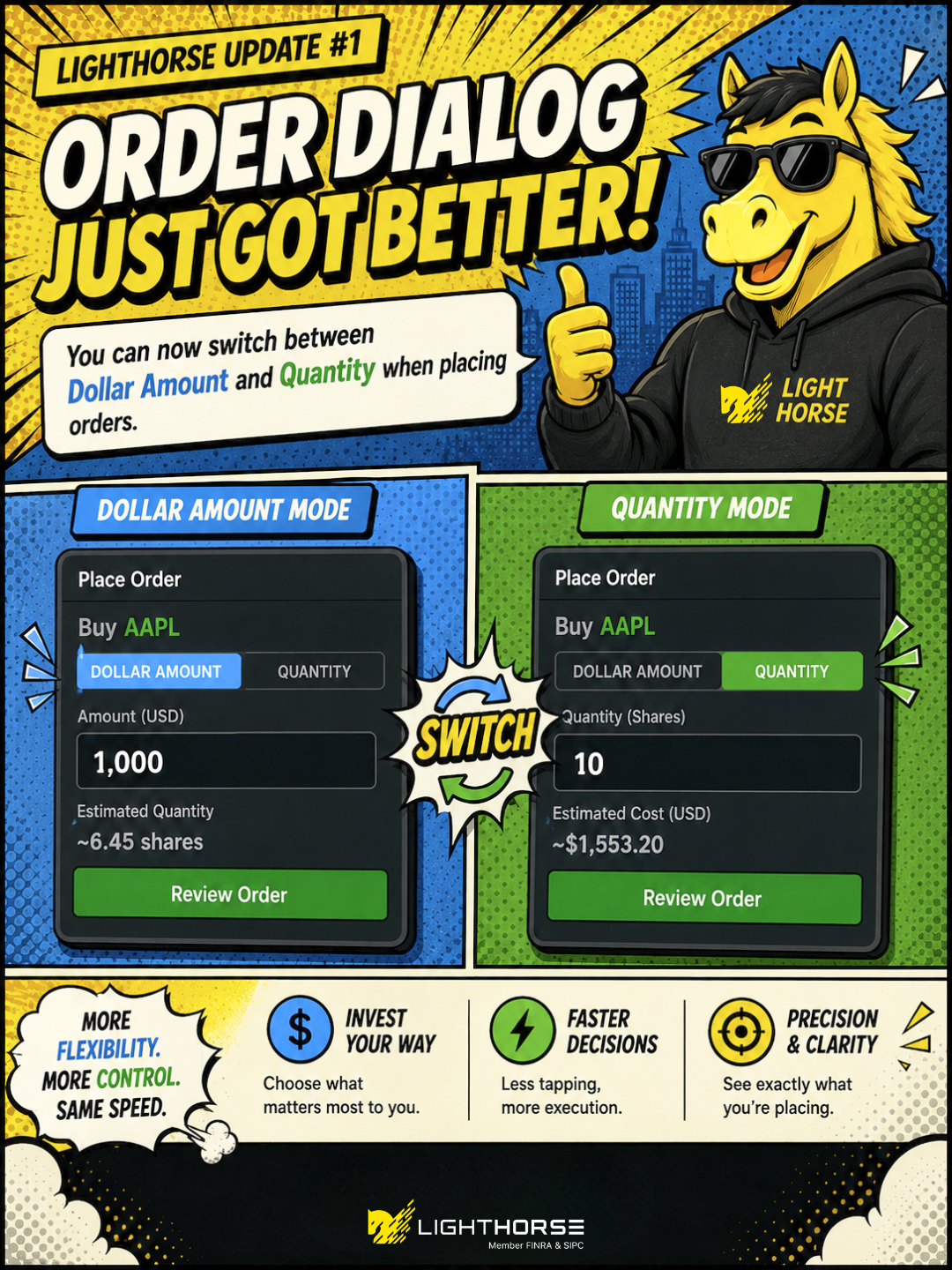
The order dialog now lets you switch between dollar amount and quantity. A toggle on the ticket picks which one you enter, and the dialog calculates the other side for you.
July 17, 2026
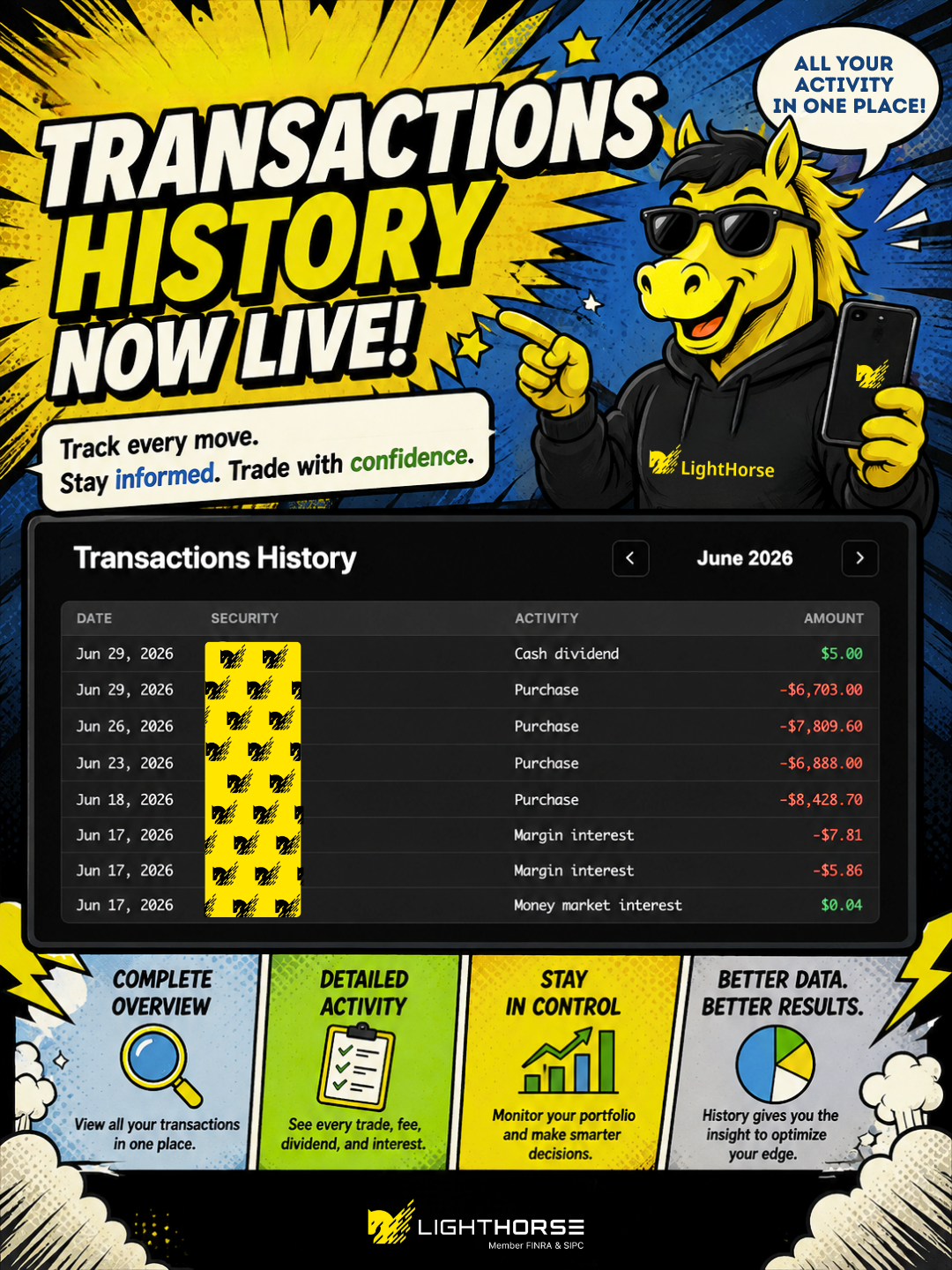
Transactions History is now its own page in the portal. Click History in the sidebar to see every transaction that hit your account, a month at a time — trades, dividends, fees and cash movements together in one list, newest first.
Each row shows the date, the security it relates to, what the activity was, and the amount, with credits and debits colour-coded so money in and money out are easy to tell apart. Use the arrows next to the month name to step back through earlier months.
July 14, 2026
Workflows can now be run on demand. Open a workflow and click Run now next to its next scheduled run to fire a single run straight away. You confirm first, and the schedule itself is left alone — the workflow carries on at its normal cadence afterwards. The button is unavailable while a workflow is disabled.
Options are now available to AI agents, through two new widgets. The option chain widget lets your agent pull up the chain for a symbol and browse contracts with you. The trading ticket widget covers a single contract, with Buy/Sell, limit price, number of contracts, and the same profit-and-loss chart at expiration you get in the portal.
Agents still cannot place an option order on their own. There is no tool that submits an option order directly — the agent has to bring up the trading ticket, and the order is only sent once you have seen the preview and confirmed it yourself.
July 7, 2026
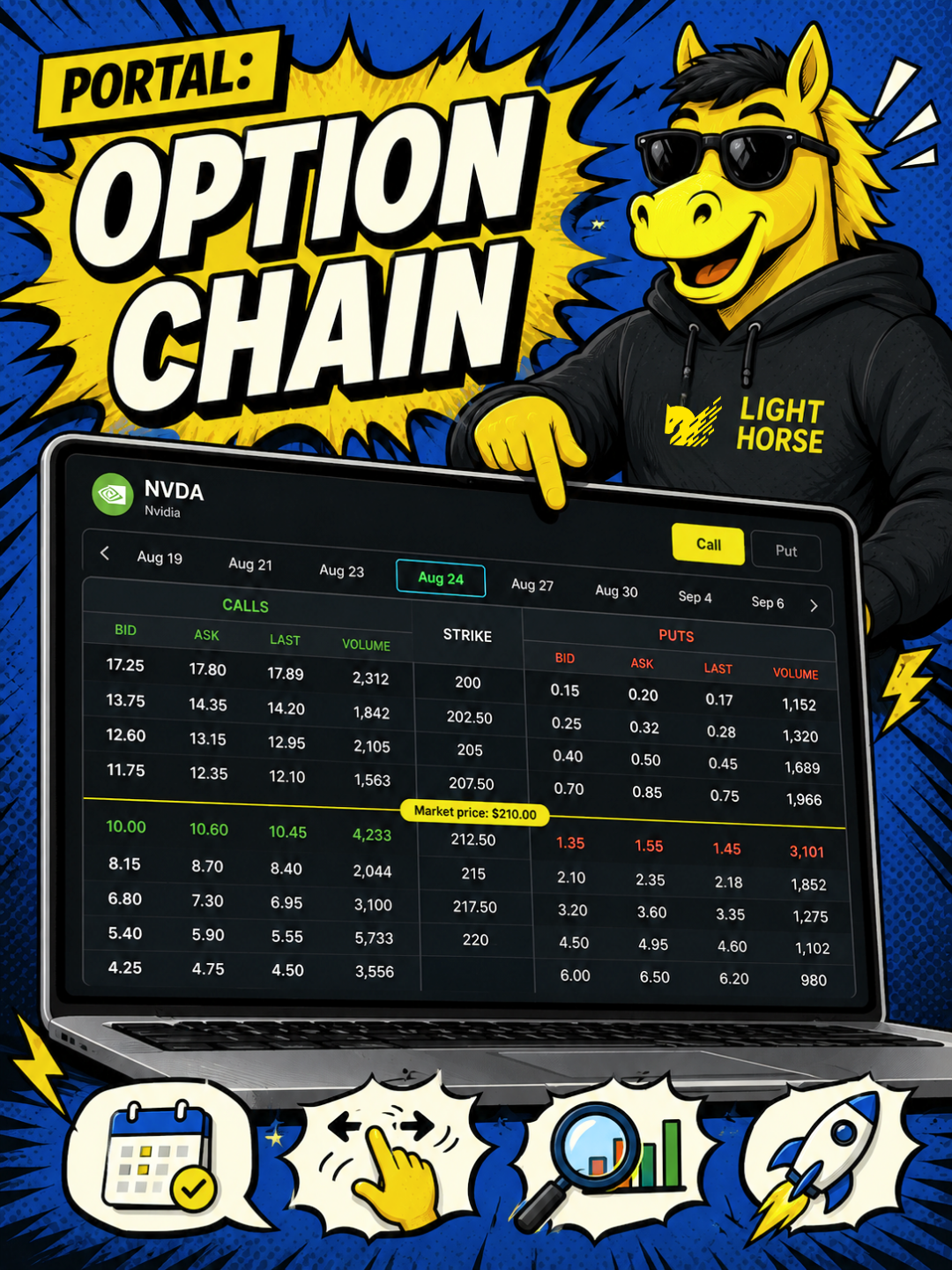
Options now open in a full chain page. Picking a contract used to happen inside a small trade ticket with a basic option picker. Open a symbol in the portal and click Options to get the whole chain instead — calls and puts at every strike, with bid, ask, last and volume on each contract, and an expiration selector to move between dates.
The option trade ticket now charts your profit and loss at expiration. Once you have a contract, a side and a quantity, the ticket draws the payoff for that position — where it breaks even, and the most it can make or lose. Positions with uncapped upside or downside are marked unlimited rather than given a number.